Shopware 6 · XRechnung · EN 16931 · Peppol
XRechnung for Shopware: e-invoices straight from your orders
A free plugin that creates an XRechnung for every order, checks it against the official rules and attaches it to the order email. Same page in Deutsch.
Status: The plugin is built, tested on Shopware 6.6 with real orders and available as a zip and a Composer package. The Shopware Store listing is in preparation.
GPL, version 1.0.1 · Source on GitHub · works without an account (20 invoices a day)
Short answer: Since 1 January 2025 every business in Germany must be able to receive e-invoices. From 1 January 2027 businesses with more than €800,000 turnover in the previous year must issue domestic B2B invoices as e-invoices, and from 1 January 2028 all businesses must. A PDF is no longer enough. The plugin builds the structured file (XRechnung 3.0, UBL) from the Shopware order and checks it before it leaves your shop.
What the plugin does
- XRechnung 3.0, EN 16931 or Peppol BIS 3 (UBL XML) from every order, automatically when the order is placed, paid or completed, or with one click.
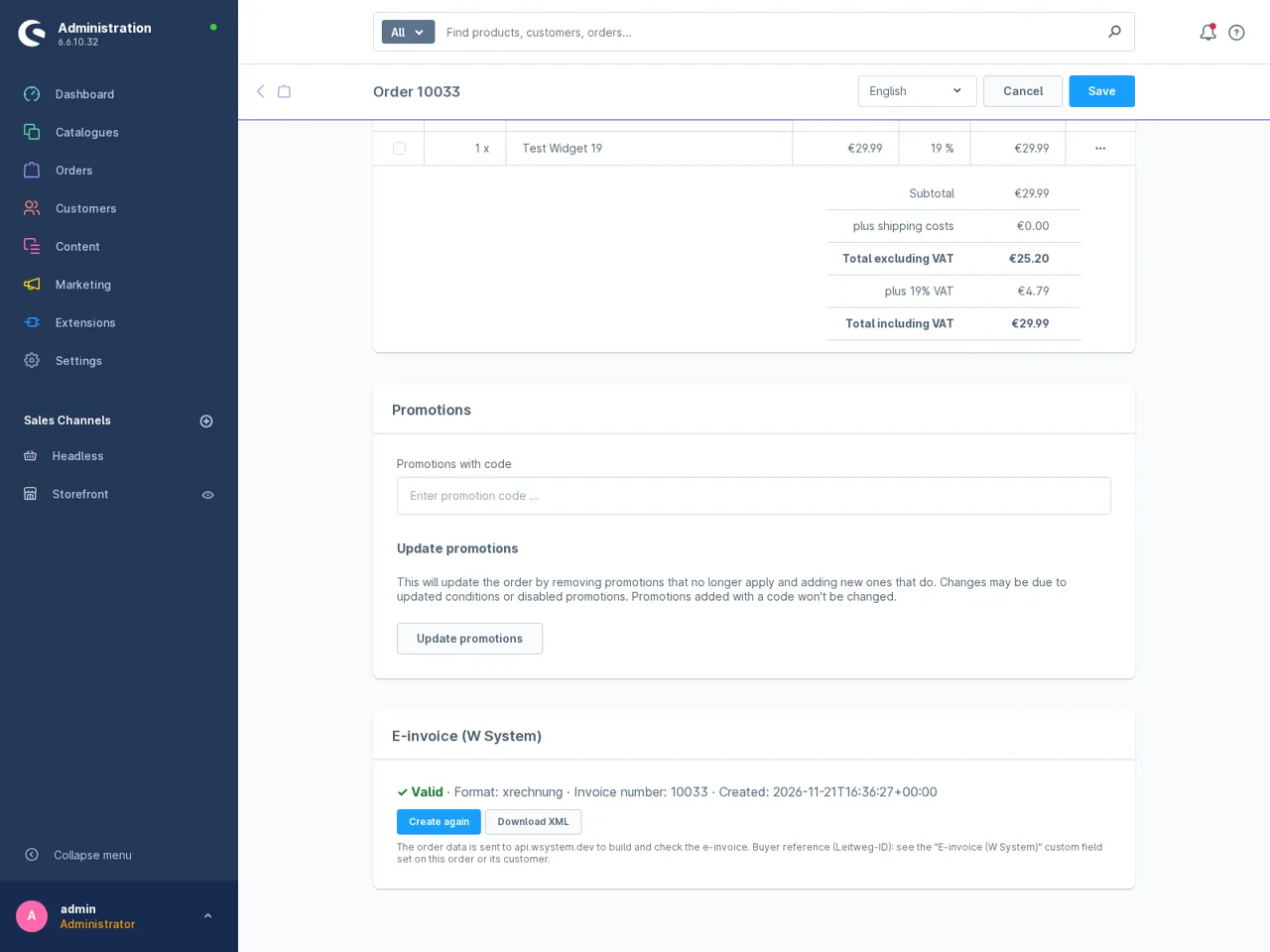
- Validated on every invoice against the XML Schema, the CEN EN 16931 Schematron and the KoSIT XRechnung rules. Errors show on the order with a fix hint.
- Download on the order detail page and optionally attached to the order confirmation, payment, completed and shipped emails when the invoice is valid.
- Everyday shop cases covered: 19% and 7%, shipping, discounts and vouchers, orders already paid, bank transfer with IBAN, intra-EU reverse charge with a VAT ID, exports, the German small business scheme (section 19 UStG). Totals match the order to the cent.
- Leitweg-ID as a custom field on the order and the customer for public-sector buyers.
- Uses the invoice number of Shopware's invoice document if one exists, otherwise the order number.
- No locked features: everything is free, there is no licence check.
Installation
Download the zip, then in the Shopware admin go to Extensions, My extensions, Upload extension, install and activate. The Shopware Store listing is in preparation.
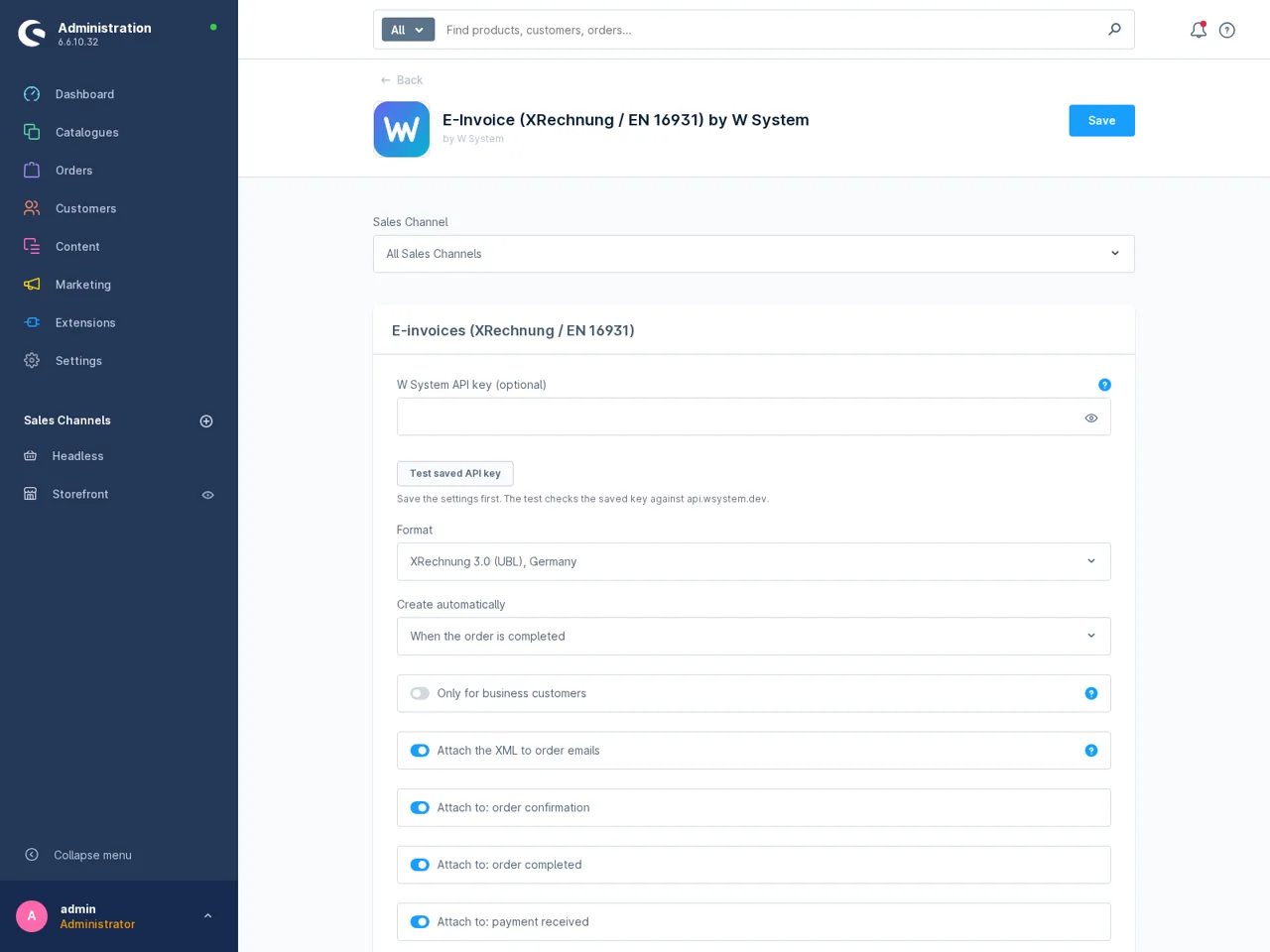
Then open Extensions, My extensions, E-Invoice, Configure, enter your company details (XRechnung requires contact name, phone and email) and place a test order. Or with Composer:
composer config repositories.wsystem-e-invoice vcs https://github.com/wsystemdev/shopware-e-invoice
composer require wsystem/shopware-e-invoice
bin/console plugin:refresh
bin/console plugin:install --activate WSystemEInvoice
What it does not do
- No CII files, ZUGFeRD / Factur-X PDFs, credit notes for cancellations or Peppol sending from the shop yet.
- No Shopware Cloud (SaaS) support: plugins cannot be installed there.
- Not tax or legal advice: a technically valid file does not replace checking that the content of your invoices is correct.
Which data leaves your shop
To create an invoice the plugin sends the order's invoice data to the W System API (api.wsystem.dev): your seller details, the customer's name, company, address, email and VAT ID, the lines, amounts and payment method. Nothing is sent on installation, in the storefront or at checkout. See the privacy policy and terms.
Price
The plugin is free. The API: 20 invoices a day without a key; a free key with 500 units a month (8 units per invoice); larger quotas on the pricing page.
Questions
Is XRechnung accepted for B2B invoices in Germany?
Yes. Since 2025 an e-invoice in Germany is a structured electronic invoice that follows the European standard EN 16931. XRechnung is one of those formats; ZUGFeRD from version 2.0.1 (except the MINIMUM and BASIC WL profiles) is another.
Which Shopware versions and hosting does it support?
Shopware 6.5, 6.6 and 6.7 shops where you can install plugins: your own server, agency hosting and PaaS. It was tested end to end on Shopware 6.6. Shopware Cloud (SaaS) shops cannot install plugins; a Shopware app for them is not available yet.
Do I need an account or API key?
No. Without a key the W System API free tier allows 20 calls per day per server IP address. A free API key (email only, no card) has 500 units a month; one e-invoice costs 8 units, so about 60 invoices a month.
Can I enter a Leitweg-ID for public-sector customers?
Yes. The plugin adds the field Buyer reference / Leitweg-ID to orders and to customers. The value on the order wins, then the customer's value, then the order number.
Does it create ZUGFeRD PDFs or CII files?
Not yet. Version 1.0 creates XRechnung, EN 16931 and Peppol BIS 3 files in UBL XML. XRechnung in UBL is accepted by German public bodies and by receiving software. Keep Shopware's PDF invoice for people; the plugin reuses its invoice number.
What happens when an invoice fails validation?
Nothing is attached to the order email. The order shows each failed rule with a short explanation and the fix, for example a missing seller phone number. Fix it in the settings and click Create again.
Related
- XRechnung for WooCommerce
- Free e-invoice validator
- German Federal Ministry of Finance: e-invoicing FAQ
Not affiliated with Shopware or KoSIT. Technical check, not legal or tax advice.